
How to create a chiropractor website
Your complete guide to getting a website for your chiropractic clinic: what to put on it, what patients search for, how to market it and the online rules to follow.
IncludedSEOBookingsSocialAnalytics
₹299/monthTry Free
What do you need for a chiropractor website?
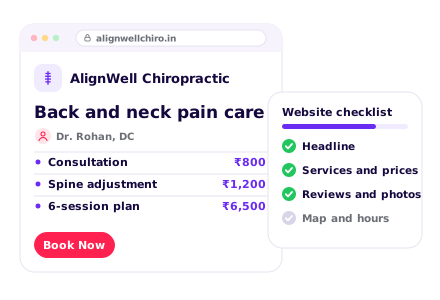
Why should patients choose your chiropractic clinic?
- 1. Write a clear headline
- 2. Show what makes you different
- 3. Write your About section
- 4. Show your numbers
- 5. Use a logo and clinic colours
1. Write a clear headline
Say what you do and where, in one line, like “Back and neck pain care in Indiranagar, evenings too”. Put a Book Now button right beside it.
See our AI Website BuilderChecklist
2. Show what makes you different
Give 3 reasons to pick your clinic, near the top of the page: evening and Saturday slots, a full spine check on the first visit, a clear plan before any adjustment, or a rehab corner for exercises.
Checklist
3. Write your About section
Say when you started, who runs the clinic and why patients keep coming back. Add one line on how you care for patients, like “We explain what we find before we treat”.
Checklist
4. Show your numbers
Numbers build confidence fast: years in practice, patients treated and chiropractors on the team. Keep them true and up to date.
Checklist
5. Use a logo and clinic colours
A clear logo and calm, consistent colours make your clinic look trusted and easy to remember.
See our Business Logo MakerChecklist
What chiropractic treatments do you provide?
- 1. List the problems you treat
- 2. Show starting prices
- 3. Add session packages
- 4. Add your payment options
- 5. Show your facilities
- 6. Help patients prepare and recover
1. List the problems you treat
Lead with the pain people feel, like back pain, stiff neck, sciatica, headaches and posture problems. Add one line on how you help with each.
Checklist
2. Show starting prices
A starting price for each consultation and session answers the first question most patients have.
See our AI Website EditorChecklist
3. Add session packages
Share clear packages, like 6 or 10 sessions with a review visit, with the price. Share facts and prices, not promises about pain going away.
Checklist
4. Add your payment options
Say if you take UPI and cards, or accept insurance where it applies. Let patients pay the consultation fee or a package advance by UPI on your website.
See our UPI Payments on WebsiteChecklist
5. Show your facilities
Show your adjustment table, rehab corner, changing area and reception.
Checklist
6. Help patients prepare and recover
Tell new patients what happens at the first visit, what to wear and what reports to bring. Share simple home exercises and posture tips after sessions.
Checklist
How can patients trust your chiropractic clinic?
- 1. Introduce your chiropractors
- 2. Add a photo gallery
- 3. Show reviews from patients
- 4. Explain your safety standards
- 5. Answer common questions
1. Introduce your chiropractors
Add each chiropractor's photo, degree, where they trained and years in practice. Mention memberships, certificates and any doctor tie-ups for scans.
Checklist
2. Add a photo gallery
Real photos of your clinic, your team and your treatment rooms. Add new ones every few months.
See our AI Website EditorChecklist
3. Show reviews from patients
Add 3 to 5 real reviews, with the patient's consent, and link to your Google reviews. Reviews that name the problem, like “sciatica eased after 6 sessions”, work best.
Checklist
4. Explain your safety standards
Explain how you check each patient before treatment, when you ask for an X-ray or MRI, and when you refer to a doctor.
Checklist
5. Answer common questions
Add an FAQ section with short, clear answers: “Does an adjustment hurt?”, “How many sessions will I need?”, “Do I need an X-ray first?”. Clear answers also help Google and AI assistants describe your clinic.
See our Automatic Website SEOChecklist
How can patients reach your chiropractic clinic?
- 1. Add booking and enquiry forms
- 2. Add phone, WhatsApp and email
- 3. Show your address on a map
- 4. Add your working hours
- 5. Add your social media links
- 6. Offer your website in local languages
1. Add booking and enquiry forms
A Book Appointment button on every page, and a form for questions, so patients can reach you any time, even after you close.
See our Leads, Orders & AppointmentsChecklist
2. Add phone, WhatsApp and email
Show your phone, WhatsApp and email at the top and bottom of every page. Add buttons so people can call or chat in one tap.
Checklist
3. Show your address on a map
Add your full address with a nearby landmark. Add a Google Map so people can get directions in one tap. Say if there is parking, a lift or ground-floor access for patients in pain.
Checklist
4. Add your working hours
Show your timings for each day. Put evening and Saturday slots on the first screen.
Checklist
5. Add your social media links
Link your Instagram, Facebook and YouTube in the menu or the footer.
Checklist
6. Offer your website in local languages
Show your treatments, fees and timings in Hindi, Tamil, Marathi or whichever language your patients speak at home.
See our Multi-language WebsiteChecklist
How to host and maintain your website?
- 1. Choose a domain name
- 2. Put your website on hosting
- 3. Turn on SSL
- 4. Make your website open fast (CDN)
- 5. Keep backups of your website
- 6. Keep your website up to date
1. Choose a domain name
This is your website address, like alignspine.in. Use your clinic name, and add your area if the name is taken.
See our Domain Name GeneratorChecklist
2. Put your website on hosting
Hosting keeps your website online, day and night.
See our Website Hosting & SSLChecklist
3. Turn on SSL
SSL puts a lock next to your web address and makes it start with https.
See our Website Hosting & SSLChecklist
4. Make your website open fast (CDN)
A CDN keeps copies of your website in many cities, so it opens fast wherever people are.
See our Website Hosting & SSLChecklist
5. Keep backups of your website
A backup is a saved copy of your website, made every day.
See our Website Hosting & SSLChecklist
6. Keep your website up to date
Change your fees, packages and slots whenever they change. Pick a website you can edit from your phone.
See our AI Website EditorChecklist
How to get more enquiries & patients for your chiropractic clinic
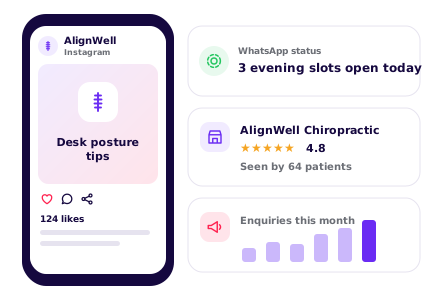
SEO – Get found on Google & AI
- 1. Set up and update your website SEO
- 2. Set up your Google Business Profile
- 3. Check Google can find your site
- 4. List your clinic on directories
- 5. Ask happy patients for reviews
1. Set up and update your website SEOOngoing
Do this with your website, then keep it current. Give Google and AI assistants a clear picture of your clinic: keywords for your treatments and area, a page title and description, one main heading (H1) on each page, a favicon, and structured data with your address, phone and hours.
See our Automatic Website SEOChecklist
2. Set up your Google Business ProfileOne time
Use the same clinic name, address and phone as your website. Pick “Chiropractor” as your main category.
Checklist
3. Check Google can find your siteOne time
Make sure your website is on Google, so patients searching for a chiropractor in your city can see it.
See our Google Search CheckChecklist
4. List your clinic on directoriesOne time
Use the same name, address and phone everywhere, and link back to your website.
Checklist
5. Ask happy patients for reviewsOngoing
Send your review link on WhatsApp after a visit where the patient felt better.
Checklist
WhatsApp Marketing
- 1. Set up your WhatsApp Business profile
- 2. Post on WhatsApp status weekly
- 3. Send reminders when a visit is due
- 4. Share promotions and special offers
1. Set up your WhatsApp Business profileOne time
Add your clinic name, logo, timings and address.
Checklist
2. Post on WhatsApp status weeklyOngoing
Pick one idea a week. Everyone who saved your number sees it for a day.
See our WhatsApp Status Post MakerStatus ideas
3. Send reminders when a visit is dueOngoing
Message each patient before their next visit, and again for a check-up after their plan ends.
See our Leads, Orders & AppointmentsReminder ideas
Paid Ads on Google, Insta, FB
- 1. Run Google Ads for nearby searches
- 2. Run Instagram and Facebook ads
1. Run Google Ads for nearby searchesOne time
Google Ads puts your clinic at the top of Google and on Google Maps when people search for a chiropractor or back pain help.
Best campaign for a chiropractic clinic
- Campaign
- Search, with your clinic location added
- Where?
- At the top of Google search results, marked “Sponsored”. With your location added, it also shows on Google Maps, with Directions and Call buttons.
- Who?
- People in or regularly in your part of the city who search for a chiropractor, or for neck or back pain help. Set this under Locations: use Advanced search to add a radius around your clinic, and under Location options choose “Presence: People in or regularly in your included locations”.
- Targeting tips
- Radius: 8–12 km. There are few chiropractors, so people travel further
- Keywords: “chiropractor near me”, “chiropractor in [your city]”, “back pain treatment [your area]”, “neck pain doctor near me”
- Negative keywords: jobs, course, certification, training, free
- Ad schedule: your clinic hours only, so calls reach you
- Budget: ₹400–₹900 a day to start. Give it 2 weeks before changing anything
- Why?
- Few people know a chiropractor, so they search Google when the pain starts and pick one they can reach.
Checklist
2. Run Instagram and Facebook adsOne timeOngoing
Meta ads show your clinic to people in your area while they scroll Instagram and Facebook.
Best campaign for a chiropractic clinic
- Campaign
- Click-to-WhatsApp ad
- Where?
- In Instagram feed, Stories and Reels, and in the Facebook feed. Tapping the ad opens a WhatsApp chat with your clinic.
- Who?
- Office workers and adults with back or neck pain who live near your clinic. Set this under Audience: drop a pin on your clinic, set the radius, then set the age.
- Targeting tips
- Radius: 8–10 km around your clinic
- Age: 25–60
- Language: match the language of your ad
- Placements: leave on automatic
- Budget: ₹300–₹600 a day. Run it for at least 7 days before you judge it
- Ad: a short reel of a first visit, with “Ask us if we can help”
- Why?
- Many people have never seen a chiropractor. A reel and a quick WhatsApp chat answer “Is this for me?” before they book.
Set up once
Every month
Others
- 1. Put your website link everywhere
- 2. Print a QR code poster
- 3. Share your link with partners nearby
- 4. Check visits and enquiries monthly
1. Put your website link everywhereOne time
On paper and online: every place a patient might look you up.
Checklist
2. Print a QR code posterOne time
Patients scan it to save your number, book the next visit or leave a review.
See our QR Code Poster MakerChecklist
4. Check visits and enquiries monthlyOngoing
See which problems patients read about most, like neck pain or back pain, and move them higher on your page.
See our Website AnalyticsChecklist
Pick your treatments, see your chiropractor website
Tap the treatments you offer
Enter chiropractic clinic name
Want to see how it works? See how the chiropractor website builder works
How patients find a chiropractor online

Trending services
Lower back pain care
Most enquiredThe reason most new patients call. Put this section at the top.
Neck and shoulder pain
RisingLong hours on laptops and phones bring in younger patients. Speak to desk workers.
Sciatica relief
SteadyPain down the leg makes people search fast. Show your phone number and next free slot.
Posture correction
RisingOffice workers and students ask for a posture check. Offer it as a first visit.
Sports injury rehab
SeasonalEnquiries go up during marathon and cricket season. Share a post before race month.
Pregnancy back care
SteadyExpecting mothers look for gentle care. Say if you treat during pregnancy and how.
Based on enquiries on Open Weaver chiropractor websites, 2026.
How patients search for a chiropractor on Google
chiropractor near meNearby
The top search. Google shows the clinics closest to the person first.
chiropractor in IndiranagarBy area
Put your locality and city in your website title and address.
lower back pain treatment without surgeryBy problem
Give lower back pain its own section that explains your approach.
sciatica pain relief near meBy problem
Say how many sessions patients usually need and what they will feel.
neck pain from laptop workBy cause
Speak to desk workers directly. Add a posture section for them.
chiropractor session costBy price
Show the first visit fee and your package prices.
chiropractor open in the eveningBy timing
List your after-work and weekend slots clearly.
sports injury chiropractorFor athletes
Name the sports you see most, like running, cricket and gym injuries.
is chiropractic safe for slip discQuestion
Answer common worries in an FAQ, in plain words.
How you look on Google
Your Clinic | Chiropractor in Indiranagar, Bengaluru
Back pain, neck pain, sciatica and posture correction in Indiranagar. Evening slots till 9 pm. Book a session on WhatsApp.
- Conditions we treat
- First visit
- Session packages
- Book a session
How patients ask AI about a chiropractor
Which chiropractor near me can see me after work?
People now ask ChatGPT and other AI assistants. Clear conditions, area and timings help them name your clinic.
How you show up in AI chatbots
Which chiropractor near Indiranagar has evening slots for back pain?
Your Clinic in Indiranagar, Bengaluru treats lower back pain, neck pain and sciatica, with evening slots until 9 pm on weekdays. It offers session packages, and you can book a session on WhatsApp.
yourchiroclinic.comSample answer. ChatGPT, Gemini and others each word it their own way.
Online rules to know

Ask before you collect health details
All businessesTell patients why you need their name, phone and pain details, and get their consent before they book.
Keep your claims honest
All businessesDo not make false or misleading claims about fees, packages, offers or results.
Never promise a cure
ChiropractorSay what you treat and how, but do not promise to cure a slipped disc or end pain for good. Health claims need proof.
Rule: ASCI Code for Self-Regulation of Advertising Content, health claims
Register your clinic where your state requires it
ChiropractorMany states need clinics to register. Show your registration on your website, and never post a patient's X-ray or MRI without written consent.
Rule: Clinical Establishments (Registration and Regulation) Act, 2010
Chiropractor website FAQs
Can a chiropractor promise to fix a slipped disc?
No. Say what you treat and how, but don't promise to cure a slipped disc or end pain for good. Health claims need proof under the ASCI Code for Self-Regulation of Advertising Content, health claims. If patients ask "is chiropractic safe for slip disc", answer it in your FAQ in plain words.
Does my chiropractic clinic need to be registered?
Many states need clinics to register under the Clinical Establishments (Registration and Regulation) Act, 2010. Check what your state requires, and show your registration on your website.
Can I post a patient's X-ray or MRI on my website or Instagram?
Never without the patient's written consent. This sits with the Clinical Establishments (Registration and Regulation) Act, 2010 in the rules above. A patient's story, shared with their consent, works well without showing scans.
What should a chiropractor website say about the first visit?
Say what happens at the first visit, what to wear and what reports to bring. Explain how you check each patient before treatment, when you ask for an X-ray or MRI, and when you refer to a doctor. Answer worries like "Does an adjustment hurt?" in your FAQ.
How do I reach desk workers with neck and back pain?
People search for things like "neck pain from laptop work", so add a posture section that speaks to desk workers. Put evening and Saturday slots on the first screen. Send your link to nearby gyms, studios and offices, and offer a free posture check for office teams.
Which times of year bring more chiropractic enquiries?
Sports injury enquiries go up during marathon and cricket season, so share a post before race month and name the sports you see most. World Spine Day on 16 October is a good time for a posture check week. Before the holidays, share back care tips for long drives.
Create your chiropractor website with your favourite features
All 14 features included for ₹299/month.0 from your checklist
Website
- AI Builder
- AI Editor
- Hosting & SSL
- Logo Maker
- Multi-language
- UPI Payments
- Domain Names
Marketing
- SEO
- Google Search Check
- Leads & Appointments
- Social Posts
- WhatsApp Status
- QR Posters
- Analytics
- See 6 free custom websites
- Select and pay only if you like it
- Free support
- 7-day risk-free trial